

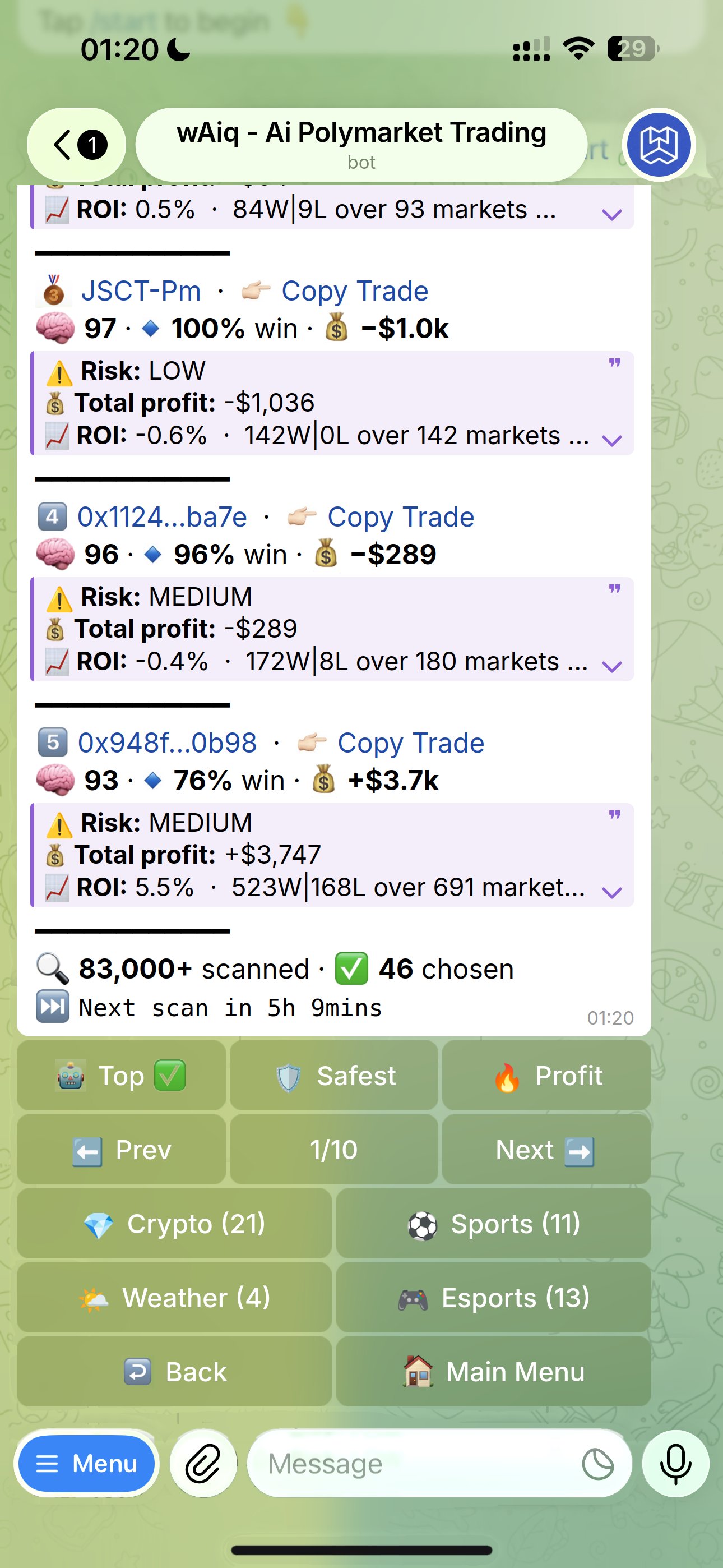
Sort tabs
The tab you’re on shows a ✅.- 🤖 Top
- 🛡️ Safest
- 🔥 Profit
The default view: every leader in the Ai’s ranking order, based on how much they make and how the people copying them have done.
Categories
The category buttons are right in the hub, each with the number of leaders in it:- 💎 Crypto
- ⚽ Sports
- 🎮 Esports
- 🌤 Weather
- 🌍 World (everything else)
Pagination
The hub shows 5 leaders per page. Use ⬅️ Prev and Next ➡️ to move between pages; the counter in the middle shows where you are (for example 1/10). Tap 🏠 Main Menu to leave the hub at any time. The bottom of the list shows how many traders were scanned, how many were chosen, and when the next scan runs.Open a profile
Each card has two links inline:- Trader name — opens that wallet’s full Polymarket profile in your browser (recent trades, every market they hold).
- 💠 Copy Trade — deeplinks back into wAiq to start (or attach to) a copy strategy targeting that trader.
Copy in one tap
Add any pick straight to a copy strategy.